GeekCore Toolkit for Elementor
Own plugin with Theme Builder, popups, mega menu and 57 widgets to build complete WordPress sites.
What was needed
Build WordPress sites with Elementor without depending on many third-party plugins that each update on their own.
What I built
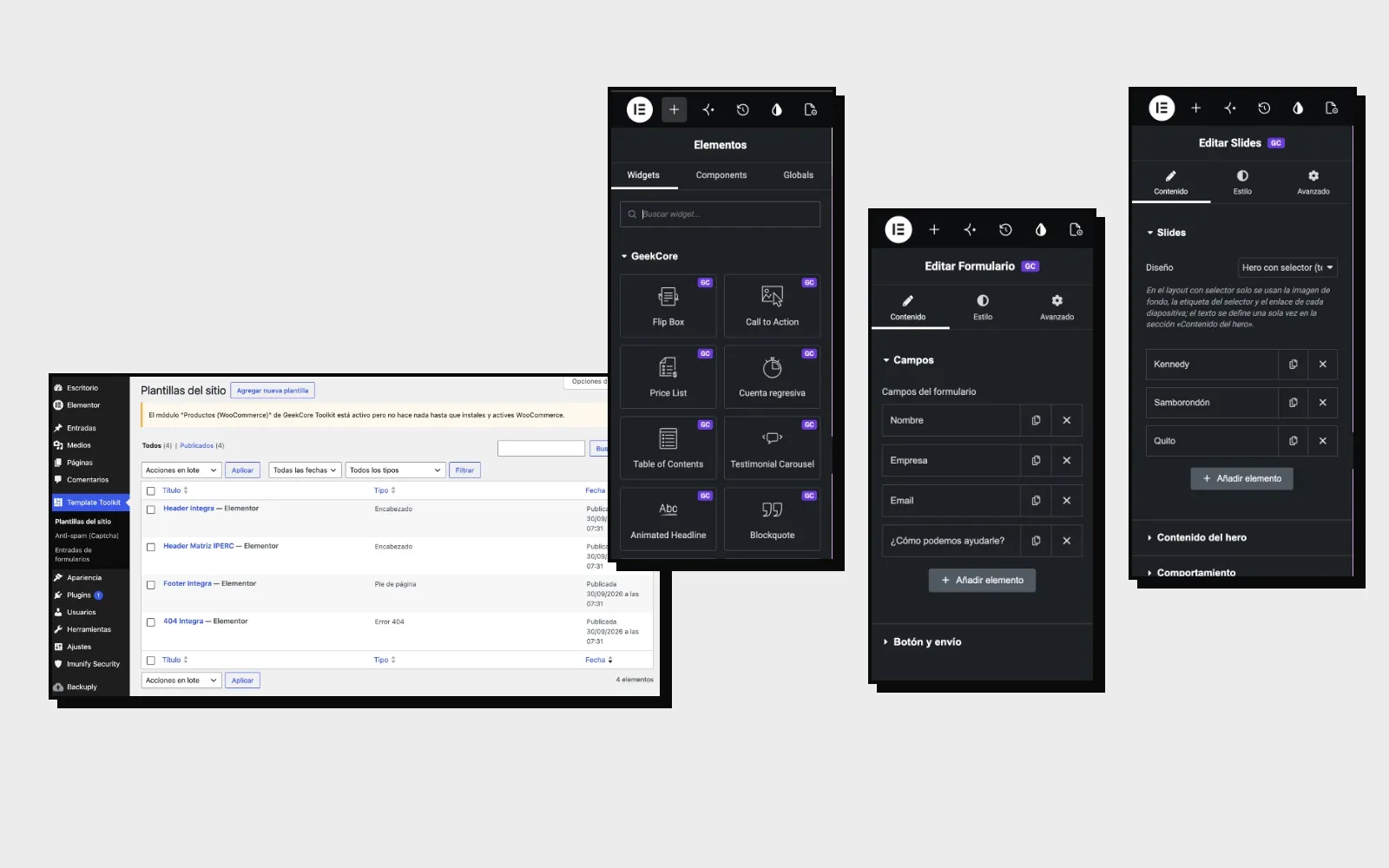
An Elementor plugin of my own, with its “Template Toolkit” menu inside WordPress:
- Site templates: Theme Builder for the header (with a sticky option), footer, single posts, archives and the 404 page. Each template is applied by conditions, for example a different header for a specific page.
- Own widgets: 57, which appear in the Elementor editor with the “GC” mark. Among them are Flip Box, Call to Action, price list and table, countdown, table of contents, testimonial carousel, animated headline, quote, quote calculator, slides, gallery, media carousel, hotspot, Lottie, code highlight, video list and loop grid.
- Forms: a widget where you build the fields from the editor, with entries stored in the admin and anti-spam protection with a captcha.
- Slides: includes a cover layout with a selector, which was used to choose between the three locations on the Citybox site.
- More pieces: popups, mega menu and own CSS per element. Colors and typefaces come from the Elementor Kit.
- WooCommerce: the products module only activates if WooCommerce is installed, and the plugin warns when it is missing.
Result
It is the base of the WordPress sites I make, such as Integra Consultoría.